Let your stories shine through
Where do your stories shine through? Every author has a bright spot. Find yours and share it. #storyon #storytelling

Story Idea - Life in a Spark
You’ve seen adventures that begin in a snow globe. How about one that is ignited by the spark of a flame and moves with each new candle lit. With certain flames, we are afforded the opportunity to join the residents of this randomized world. For the people within the spark, the light in one candle can represent years or decades.
Is there night in this world? What are they people like? Who do they represent? Can you find the flame anywhere? Or, is stored in a secluded area and only available to a select few? Where do you find an exit? Do you try? Or, do you enjoy the centuries within?
Decide on the path. Decide on the transportation route. Decide on the stories within. Decide on the path you follow and the path you lead. Decide on the story, and write. Post it here, or share elsewhere, but write and enjoy…
Story Idea - Moving Day
This day is dreaded by children and parents everywhere. While they are looking forward to the newness of different house and change of scenery, each will miss a part of the space they are leaving behind. Each will bring with them a memory to recreate in the new location. Today’s move with our family of four reignites more than just memories. Today’s move begins the next chapter in a more combined life.
Will the story be based on your own experiences? Will the story focus on one family member or all of them? What is the family make up? How many daughters? How many sons? Will you add a small bit of fantasy or magic to the experience? Or, will you deliver experiences that are possible, but extraordinary? Where does the journey start? Where will it end?

Choose your path. Choose your memories. Connect each part of the story to the next. On this journey, details are important, but remember this is a short story and may require targeted words rather than lengthy sentences. Decide on your point of view as this will direct your story on where to start and where to end. Decide on your location as this will provide connections for your readers as you bring them along…Choose your path and choose your storyline, but write and enjoy.
Story Idea - Twittering Your Life Away
So, you have decided to sign-up for Twitter…you don’t know why, but you do know that it is all that…or, at least that is what your younger sister told you. You have gone to the main page, signed up, waited…nothing. That’s right, nothing. You check the screen for days wondering when the “news” will be flooding in. Once, after signing in, you see a large whale on the screen and then a funky bird. After refreshing your browser a few times, you see a blank spot under your update box. You can’t take it any more. So, you decide to have a conversation with yourself using Twitter.
How will you do this? Who is this other personality? Do you create another account? Or, do you just change voices within the tweet itself? Decide if you followed anyone. Decide if you talked to anyone? Decide on what response you got if any from other out there in the random electronic world. Do you find that people are adding you as a friend? What topics do you cover in the conversation with yourself? What impact does this dialogue have on your more physical life?
OK, while this may be a little too close to reality for some, it aligns well with what is possible in today’s society. The storyline doesn’t have to be about Twitter. You could change the timeline and set it earlier where you are writing letters back and forth to yourself. Same idea, different method…Choose your path and choose your storyline, but write and enjoy.
Story Idea – Soccer for the Little Ones
Parents always push their children to achieve greatness in everything they do, especially in sports. Whether they are five and just beginning their venture of kicking a small, checkered ball around a grassy field, or they are fifteen and riding the bench of high school sports team wondering whatever happened to the fun days of just being a part of a team, children are encouraged to play the game.
Choose your age and choose your point of view. Are you the child? Or, are you the parent? Are you the coach, or the cheerleader? Your point of view and the age of the child determines the path of your story. If the child is little, focus on the wonders of playing a game and running up and down the field. If the child is older, focus on the aspects of teamwork or the ups and downs that go along with winning or coming in second. Choose your path and choose your storyline, but write and enjoy.
Story Idea - Rollercoaster Theming
Life is like a rollercoaster. A common analogy used to explain the ups and downs of life. When thinking of this rollercoaster though, depending on your experience you may picture a stand alone coaster. One in the middle of a park, perhaps sitting next to a carousel or some other ride. Each are enjoyable experiences as you enter the rides, but once the ride is over…well its over.
Or perhaps you think about a slightly different experience. One where there is a theme woven throughout the park experience and the coaster itself isn’t just stand alone tracks, but maybe a mountain or a space center. There is a preshow and a story. A feeling of being on a wild train or venturing through a snowy mountain that is embedded in your mind upon entering and an experience that continues even after the ride is over.
Story Idea - Coffee - Taste and See
Coffee is a great stimulator. It provides that get up and go when the get up has just about gone, or perhaps hasn’t even shown up for the day. Tammy drinks three cups of this magical brew each morning before she even gets into work…one before her shower, one after the gym, and one on her way to the office. The rest of the day’s menu is very similar. She needs the caffeine, and nothing else seems to work. It has to be coffee or nothing. Somehow, she forgets to buy her usual coffee during her recent trip to the grocery store and runs out late that night to pick up a blend for the morning.
Her usual stores are closed and the grocery store seems to be out. Feeling somewhat defeated, she heads back home. On her way, she passes a recently constructed strip mall. One of the stores is a coffee shop and it is open. The moment she walks through the door and the wonderful wafting aroma hits her, she feels a sense of calm, a sense of belonging, a sense of being at home. A clerk greets her and asks, “What is your taste of choice? Wait a minute, let me guess…”
Who is Tammy’s taste? Does the clerk know and guess the right flavor? Where is this store? What kind of coffee doe they sell? What does Tammy think of this place? What caused the feelings when she walked in? How long does she stay? Think about all of these questions and interactions and write until you have fulfilled each unanswered question. Decide on your direction. Decide on the story and write. Post it here, or share elsewhere, but write and enjoy…
Story Idea - Flying into a Different Similar Cloud
Flying above the clouds can be uplifting, but rather dull if you do it often. Such is the case with Bill. He looks forward to being in a different place at the end of the trip, but the path itself is less than exciting. On one trip between Chicago and Orlando, the plane had to fly a little lower and was actually flying through the clouds. Bill looked out of his usual window seat and observed a different world. He stared and saw things within the clouds that he recognized on the ground.
Share what Bill saw. Make sure you keep your story to the plane ride itself. Share how Bill felt. Does he interact with the things he sees? Does he tell anyone on the plane? A suggestion would be to allow others to see the what Bill sees once he share it with them. There are enough stories out there about one passenger going insane and seeing things outside a plane. Keep this one focused on possibilities. Keep this one grounded in an alternative reality that is similar, but in on a higher level than what your reality reflects. Decide on your direction. Decide on the story and write. Post it here, or share elsewhere, but write and enjoy…
Story Idea - Vanishing Village
Unid was a shaman for an ancient tribe. Unfortunately, the tribe had recently vanished. Right before the disappearance, the skies grew dark and Unid lay napping under a poonta tree. When he woke and strolled back to the village, he noticed very little. However, when he got within sight of the moving city, he did notice that no one was moving…He looked around, still a bit groggy from his respite. He searched many of his neighbors’ houses and found no one.
What happened to the village? What happened to Unid? Where did everyone go? Or, was it Unid that disappeared? Why is he still a bit of a sleepy-head? What does Unid do next? Does he just accept the situation and go about his daily routine? Does he try to concoct something to find out the true story? Do we hear any back stories about the village before the vanishing? Decide on your direction. Decide on the story and write. Post it here, or share elsewhere, but write and enjoy…
Story Idea - Time in Imagination with Technology
Time stands still when you do not carry a watch. Time also stands still when you do not know what time is…We can hide from reality and even be put in places to help us pretend more. However, we can not dismiss reality when the lights around us signify changes. Tessa went into the home when she was 12 and has not seen others since then. Her room provides all she needs. It is a small, three-sectioned room that changes with Tessa’s imagination. When she needs to go outside, she exits through one section and ends up in another, viewing trees and feeling the breeze. She interacts with the creations she has drawn or described out loud. The main computer provides the rest. On one particular day, an actual visitor somehow crept into the room…
Who was this visitor? How did Tessa get here in the first place? What is this place? How long has it lasted in this location? Who runs the place? Where did this computer come from? How does it recreate the creatures of Tessa’s imagination? Decide on the path. Decide on the storyline. Decide on the imaginary creatures that enter and exit the space. Decide on your direction. Decide on the story and write. Post it here, or share elsewhere, but write and enjoy…
Poem Idea - Remembering the Old House
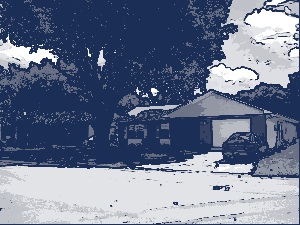
It may be old, but it is still fresh with the memories of the years you have spent there. That childhood house still stands. It makes its way into dreams and into stories. Think of where you grew up and connect with the good times. Remember an event that was special. Remember a time that was simpler. See your days again in that old place. Imagine your time in a more reflective light. Talk of the structure, the rooms, the windows. Talk of the yard, the sidewalk, the elevator if it was there. Look into your past and share the intensity that is less powerful now, but grows with each dream that it may have housed.
Choose your words well. Choose your flow carefully. Do you start inside or outside the abode? Is it a house, apartment, or town home? Do the neighbors enter into the picture? Or, does the house stand alone. Speaking of pictures, look at some old photos to spark a memory. Gather the details as best you can. Pull out the details with as much vividness as possible within a small amount of space. Reflect on the happiness you remember. Reflect on the safety it provided. Reflect on the connections you may still have there and post it here, or share elsewhere, but write and enjoy…
Poem Idea - Carnivals
When was the last time you were at a carnival? You know, one of those signs of summer…the crowded, dark, and sometimes littered parking lots with the Tilt-A-Whirls, the Ferris wheels, the bumper cars, and those all tempting carnival games…Cotton candy, all sticky and sugary…Snow comes, so icy and drippy…Corndogs so, well, so corn doggy…Each of these images rise to the top when thinking of a carnival. Use each line to share one sense of excitement, of wonder, of worry with your readers, your new friends, your connections to other carnivals that you have not visited…
If you are struggling, take some pictures of the one down the street. Hurry, because it is only there for the week. Are there differences between the carnival and the circus? Are there different attractions? Different people? Different reflections on your childhood? Create the images as you see them. Decide on feeling you wish to evolve and post it here, or share elsewhere, but write and enjoy…
Poem Idea - Identifying Happiness
Happiness is a special emotion and unique to each individual. We each experience happiness in our own way. We relate to this word differently depending on our experiences and connections to others. We feel the word based on our internal dictionary. A dictionary created by our own sense of happiness. What is yours? Write about the emotions and post it here, or share elsewhere, but write and enjoy…
Happiness is shared here through what we identify with…
Wondrous Happiness
My heart alone can not sustain this wondrous happiness,
But, together alone, the inner greatness may grow,
And emotions sealed long ago, will continue to show.
Stay with me as we share this special journey,
For then the true intensity we may see.
As we tread forward into the future we create,
Let this bond we make test the depths of fate.
Our love will undoubtedly blossom into a full and beautiful flower,
Until then, let us be immersed in the pulsing power
Of the sustained togetherness and wondrous happiness.
Poem Idea - Peace Within or Without
Peace is a concept with an opposite that provides more damage, quicker than peace can achieve goodness. A sense of peace is different than a state of peace. Calmness, solemnity, lack of violence are all parts that reflect this graceful word. When do we realize the true sense of the word? When do we have time to reflect on the concepts? When is it time to look into the eyes of country men, our family, our children, and share a sense of relief and hope that didn’t reside in their minds before.
Think of the simple words that align to the concepts of peace. Think of the connections you may make with your own country. Are you at war? Are you at peace? Perhaps, you are somewhere in between. What helps bridge the gap? What brings about the reality of peace for you? Decide on the vision of what peace is to you and post it here, or share elsewhere, but write and enjoy…
Poem Idea - War - What is Seen
War has many faces. War has many situations. It never turns out as well as either side expects. It always turns out bad for someone. In fact, it never seems to live up to any billing. The nature and reasons for this demolition has changed over the centuries. The weapons have expanded and become more brutal than any of the tortures thought up by the ancients. However, they are quicker and take less time to inflict the damage.
We have much to be vigilant about. We have much to watch over. Where do the images begin? Are they with the buildings? Do they extend to the wildlife? Does it reach to the children? Where do the images stop? Can we stop them? Decide on the vision of what war is to you and post it here, or share elsewhere, but write and enjoy…
Poem Idea - Crackling Campfire
The crackle of the wood as flames strike the wood. The smell of greener logs emitting a film as they are tossed into the growing blaze. The light gray specks floating around randomly within the smoke and the sparks. The sights and sounds of a campfire excite little ones and provide memories and paths to new visions for adults.
Think of the start to the campfire. Think of the process it takes to build up the flames to provide a sense of comfort and warmth. Think of experimenting with the different litters of nature such as leaves, dried and fresh, twigs, dead and recently cut, and tiny rocks to absorb the heat and keep the dwindling sparks from going out completely. Think of the experiences you may have had with toasting, roasting, and telling stories or boasting. What ever your focus in this verse, draw from experience and build on the emotion and internal connections. Remember poems are simple, but have all the power of a story in a little, tiny space. Post it here, or share elsewhere, but write and enjoy…
Poem Idea - Seashells
No two seashells are alike, yet they group themselves in the same places. They float and they sink. They migrate and are migrated. Some are flatter than others. Some are smooth and others posses ripples and ridges. Many have various colors that allow them to sparkle in the sunlight and catch your eye as you stroll down the beach. A few others are dull in nature and blend into the glistening sand.
Do you think about hearing the ocean? Do you hear the ocean when holding up a shell to your ear? Are these the same seashells that cover the clam shaped beings that were lost somewhere along the way to the shore? Decide on the adventure these residents of the deep took to reach the surface and share the story in verse. Post it here, or share elsewhere, but write and enjoy…
Poem Idea - Thanksgiving
Thanksgiving is a time for family; A time for feasting; A time for remembering the bonds that brought us together as a country. We give thanks for what we have and what we share. We give thanks for what we hope for the future and what we have built in the past. We gather together as families, large and small, to eat large quantities of turkey, mashed potatoes, and green bean casserole.
Some times, our families can grow closer during these holidays. Sometimes, they can grow too large to make the day enjoyable. Sometimes, this is just what we are declaring our thanks toward. The food is just one aspect. The recognition of the togetherness with others who share our lives is the most important. Write about the emotions and post it here, or share elsewhere, but write and enjoy…
Poem Idea - Halloween to All Hallows Eve
Halloween is full of spirits and spooky creatures. It is full of princesses and princes. It is full of mystery and imagination. It is a great time of year to be a child. The candy, the costumes, the connection to creativity is all around during All Hallows Eve. Write of the visions seen and felt as young trick-or-treaters venture down noisy paths and up clutter sidewalks to get handed a caramel apple, a large chocolate bar, or even a rock.
Remember your last experience you just had. Remember the last experience your own child or siblings shared. Did you enjoy it? Did you enjoy the true spirit of the holiday? Did you take a step back into a world reflected in a foggy, eerie environment? Were you happy with your connection to the land of make believe? Would you relive the day and eat more of the sweets handed out by your neighbors? Write about the emotions and post it here, or share elsewhere, but write and enjoy…
Poem Idea - Fourth of July - Freedom Based
The celebration of Independence for the US occurs on the Fourth of July…Many poems have been written about this day, but many of us take the freedoms for granted. When we think of this day, do we connect it to the wars that our brave troops delivered dedicated service for the protection of that freedom? Or, do we think of the rebellion always be legal in the fist person, such as our rebellion, and illegal in the third person such as their rebellion…?
When did the fireworks arise in our lives to recognize the importance of this connected freedom we share and cherish? When we reflect on the sacrifices our fore fathers made to establish a country rooted in values and bringing equality back into the lives of it inhabitants. What does this day mean to you? Is it all about the loud noises and pretty lights? Write about the emotions and post it here, or share elsewhere, but write and enjoy…